Most documents don’t need to be chunked before they go to the Kimi API. They need to be extracted cleanly, counted honestly, and sent whole — and chunking only earns its place once a document doesn’t fit, or once you’re querying a corpus too large to stuff into a single call. That discipline holds whether you’re working with Kimi or any other AI model API: what breaks document pipelines in practice is almost never the model’s context length. It’s the mangled text you feed in before the model ever sees a token.
The chunk-first habit runs deep. A few years ago, context windows were small enough that splitting a PDF into fragments was simply the price of admission, and an entire tooling ecosystem grew up around that constraint. The constraint has loosened; the habits haven’t. Teams still pay for embedding infrastructure, tune retrieval thresholds, and debug “the model ignored page twelve” failures on documents that would have fit in one call with room to spare. In 2026, with document-heavy agent workflows — contract review, claims processing, due-diligence rooms — becoming the default workload rather than the demo, deciding when to chunk and when to send the whole file is one of the highest-leverage architecture calls you’ll make. Get it wrong in the chunk-first direction and you’ve built a retrieval layer whose main job is to hide text from the model.
Does the Kimi API need chunked input, or can it read the whole file?
The model behind the Kimi API is built around a long context window, and the practical answer is: read the whole document when the whole document fits. The chat endpoint consumes text rather than binaries, but the platform ships file tooling that handles the conversion for you — which is the part most people underestimate. You upload the file, the server extracts the text, and you pass that text into your prompt as context. No splitter, no embeddings, no index.
Two honest caveats. First, the exact context limit moves as model versions ship, so check the current figure on the provider page before you design a pipeline around it — limits that were tight two years ago are generous now, and the trend has only run one direction. Second, “fits” should mean fits with working room: your system prompt, your instructions, and the answer you expect back all share that window with the document. A forty-page contract fits comfortably. A warehouse of forty-page contracts is no longer a context problem; it’s a retrieval problem, which is a different article.
How does file handling work in the Kimi API?
The flow is three calls, not one. You upload the file to the files endpoint with a purpose that marks it for text extraction. The server parses it — the official docs list the accepted formats, and they cover the usual suspects: PDF, Word, PowerPoint, plain text, and common image types. Then you pull the extracted content back down and drop it into your chat call as context.
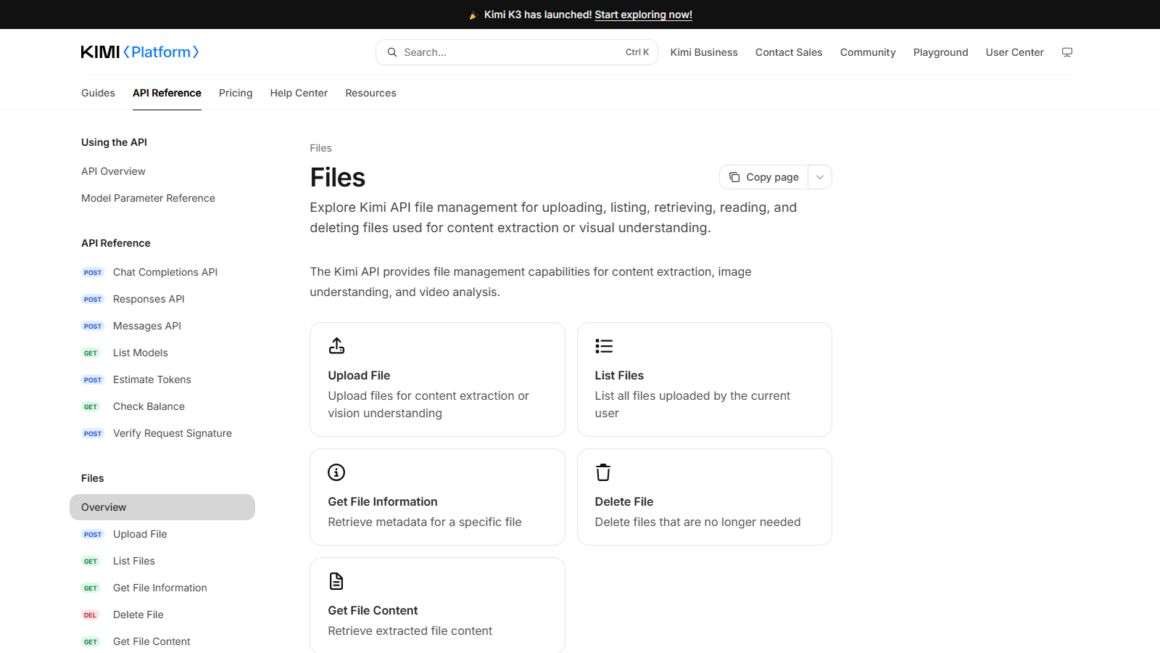
Three practical notes from running this in anger. Cache the extracted text against a hash of the source file: extraction is repeatable work, and paying for it on every request is pure waste. Keep the file record and the extracted text as separate artifacts in your own storage, because you’ll want the text for debugging long after the upload stops mattering. And log the size of every extraction — that number, not intuition, decides whether the next step is a single call or a splitter.
What should you fix before you chunk anything?
Chunking gets blamed for failures that extraction caused. A retrieval pipeline can only be as good as the text it indexes, and naive extraction produces worse text than people assume. The recurring offenders:
- Scanned PDFs. If the PDF is a picture of paper, extraction is OCR, and OCR quality swings wildly with scan quality. A slightly skewed page or a faint fax produces text that looks plausible and is quietly wrong — wrong in the numbers, which is the worst place to be wrong.
- Repeated furniture. Headers, footers, page numbers, and confidentiality stamps get baked into the text on every page. Chunk that, and every fragment carries the same boilerplate, eating window space and diluting everything the model reads.
- Flattened tables. A financial table extracted line-by-line loses the column structure that made it meaningful. Rows without headers are just numbers in a room.
- Reading order. Two-column layouts, sidebars, and callout boxes frequently come out scrambled, so the text is all there but the sequence isn’t.
Before you write a single line of chunking code, read the extracted text of a few representative pages with your own eyes. Strip the furniture. Decide how you’ll represent tables — usually as explicit rows with their headers repeated. Keep page markers if you’ll need citations later. This is unglamorous work, and it is the entire difference between a pipeline that works and one that “mostly works, except for the documents that matter.”
When is chunking still the right call?
Chunking isn’t wrong; it’s just no longer the default. Four cases where it still earns its keep:
- The document genuinely doesn’t fit. When extraction output exceeds the window with no working room left, split — but split at structural boundaries. Chapters, sections, headings. Fixed-size character windows are how you get a liability clause severed from the sentence that defines “liability.”
- You’re querying a corpus, not a document. No window fits ten thousand contracts. The shape that works is retrieve-then-read: a cheap retrieval pass narrows the corpus to a handful of candidate sections, and then the long-context model reads those sections whole. Retrieve wide, read whole — the chunk is a pointer to context, not the context itself.
- Volume economics on narrow questions. If a high-traffic flow asks one narrow question of a two-hundred-page manual, sending the whole manual on every request spends tokens on pages the answer will never touch. Measure before optimizing, though — teams routinely overestimate this cost because they estimate it before looking at real traffic.
- Citation precision. When the output must point at the exact passage — page, clause, line — feeding smaller, well-bounded spans makes grounding the answer easier, because the model’s attention isn’t spread across a hundred pages of context.
What does a minimal whole-document pipeline look like?
Enough theory; here is the smallest thing that works.
• Upload and extract once. The file goes to the files endpoint, the extracted text comes back, and both get cached against the file’s hash.
• Count. Measure the extracted text against the current context limit, leaving room for instructions and the response.
• If it fits, send it whole. One chat call with the document in context, plus a short map of the document’s structure (“Section 3 is the indemnity clause”) so the model can navigate.
• If it doesn’t fit, split on headings — never on character counts — and send the largest structural units that fit.
• Only at corpus scale does a retrieval layer enter, and it feeds whole sections upward, not fragments.
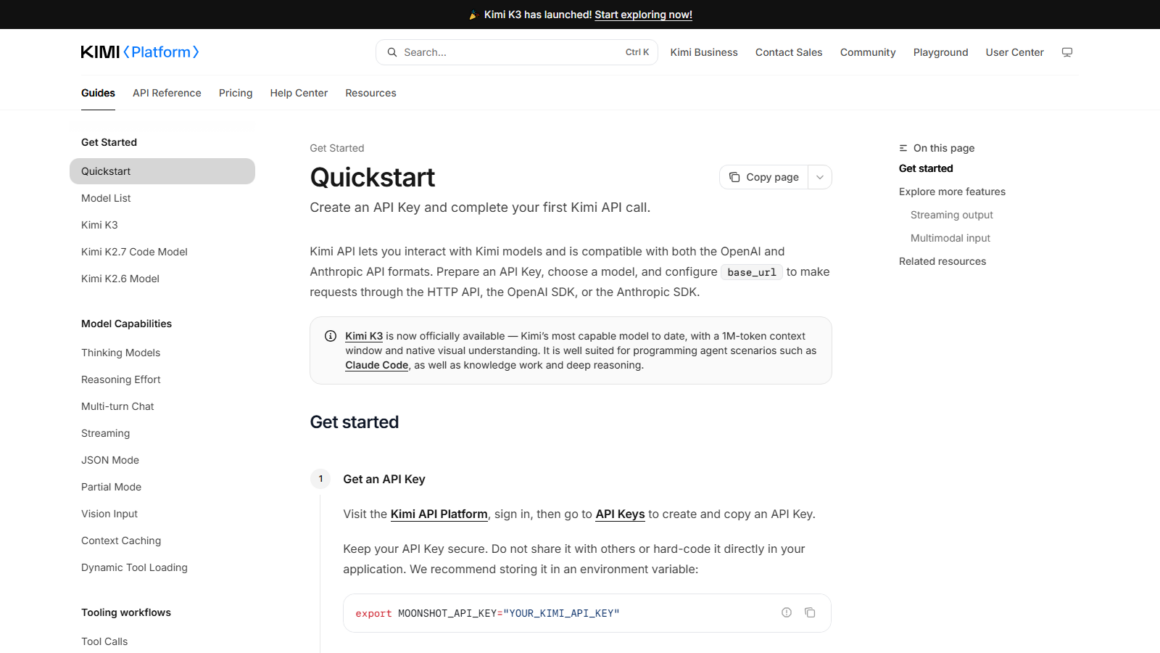
This is also, roughly, the workflow the platform’s own long-document guide describes: upload, extract, then question or summarize the extracted text in a chat call. The guide is worth ten minutes of anyone’s time — it’s the vendor’s own answer to “what do I do with a big PDF,” and notably it does not begin with “install a vector database.”
The takeaway
Chunking is a fallback, not a foundation. The default path for a document heading into the Kimi API is: extract cleanly, count honestly, send whole. Reach for the splitter only when a document outgrows the window, when you’re searching across a corpus, or when traffic economics genuinely demand it — and even then, cut along the document’s own seams and let the model read large pieces. Teams that invert this order spend their time tuning retrieval to compensate for text they never actually looked at. Look at the text first. It’s the cheapest debugging you will ever do.
Sourcing note: File-handling behavior, supported formats, and endpoint details in this article reflect the Kimi platform documentation as captured on 2026-09-07; both documentation pages are reproduced as screenshots above. Context-window limits and model versions change — confirm current figures on the provider’s documentation before building against them.