Crypto markets can move quickly, and traders are not always sitting in front of a laptop when something changes. That is where a good Android trading app becomes useful. It can put prices, charts, orders, and account information in one place that is only a few taps away.
But convenience alone does not make an app suitable for trading. A confusing interface can lead to mistakes, while downloading an app from an unreliable source can create security problems before trading even begins.
So, before installing a cryptocurrency trading app, it makes sense to look at how easy it is to use, what trading tools it provides, how well it protects the account, and where the installation file comes from.
Why Trading From Android Can Be So Convenient
The biggest advantage of mobile trading is simple: access. A trader can check prices while travelling, monitor an open position during the day, or respond to an important market movement without opening a computer. Notifications can also make it easier to notice price changes or account activity.
That does not mean every decision should be made quickly. Mobile access is most useful when it gives traders better control over information, rather than encouraging them to react to every small price movement. A practical Android app should therefore make important information easy to find without turning the screen into a crowded dashboard.
What Should a Good Crypto Trading App Feel Like?
Open a trading app for the first time, and you should not feel lost.
The main areas, such as markets, charts, balances, orders, and account settings, should be reasonably easy to locate. Buy and sell controls should also be clearly separated so that users are less likely to press the wrong option.
On a smaller phone screen, simplicity matters even more.
A suitable app should ideally make it easy to:
- View current market information.
- Search for available trading pairs.
- Check account balances.
- Review open orders and positions.
- Access charts without excessive scrolling.
- Find deposit, withdrawal, and security settings.
Features Worth Checking Before You Install
Before choosing an Android app, look beyond screenshots and design.
Trading Tools
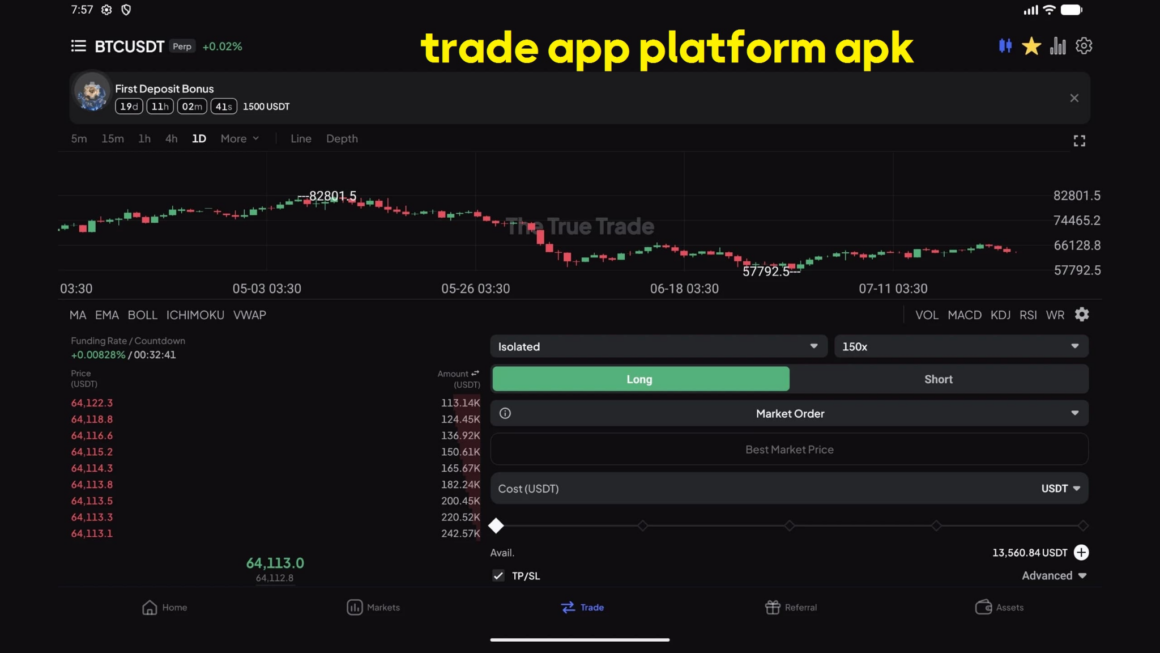
Start with the basics. Check whether the app provides the markets and order types you actually need. Charting tools, price alerts, order history, and position details can also make mobile trading easier to manage.
Beginners do not necessarily need advanced technical indicators immediately. Clear prices and understandable order controls may be more valuable at first.
Costs and Account Information
Trading costs can affect results, especially for people who make frequent transactions. Users should understand the fees that may apply to trades, deposits, withdrawals, or other account activities.
It is also worth checking account requirements and regional restrictions before depositing money.
Where You Download the App Matters
A trading app deals with sensitive login and financial information, so the source of the installation file deserves attention.
Someone planning to download the true trade should use the relevant download page and carefully check the information provided before installing anything on their Android device.
The same rule applies to any crypto trading app. Avoid APK files or installation links received unexpectedly through social media, messaging groups, advertisements, or unfamiliar websites.
Before installing, check the website address, requested permissions, application details, and any Android security warnings. If something looks unusual, it is better to stop and investigate rather than rush through the installation.
Spend Five Minutes Exploring Before You Trade
Installing an app should not be followed immediately by placing a trade.
First, explore it.
After opening an app the true trade or another trading application, locate the sections you are most likely to use. Find your balance, order history, charts, open positions, deposit and withdrawal pages, and account-security settings.
Then look at the order screen carefully. Know where the trade size is entered and where an order can be reviewed, cancelled, or closed.
Those few minutes can reduce the chance of making a simple interface-related mistake later. If a demo mode is available, it can also help users become familiar with the platform before using real funds.
Small-Screen Trading Can Lead to Big Mistakes
Trading from a phone is convenient, but the smaller screen can make mistakes easier.
A user might enter the wrong position size, tap the wrong option, or confirm an order without checking all the details. Notifications can also create pressure to act quickly when waiting would have been the better choice.
Before confirming any trade, check the asset, order type, price, and position size again. Extra caution is particularly important when leverage is involved because it can increase losses as well as potential gains.
Simple Habits That Make Mobile Trading Easier
Good mobile trading is not only about choosing the right app. Everyday habits matter too. Use a strong, unique password and enable additional account protection when available. Keep Android and the trading app updated, and avoid sharing login credentials, verification codes, private keys, or recovery phrases. It is also sensible to avoid making important account changes over unsecured public Wi-Fi.
Most importantly, do not let constant access turn into constant trading. Having a plan can make it easier to avoid impulsive decisions based on short-term price movements.
Conclusion
Choosing a suitable Android crypto trading app comes down to a few important things: usability, useful trading tools, clear account information, security, and a reliable download source. Users should check these areas before installing an app, then spend some time learning how the interface and order controls work. With a careful setup and sensible trading habits, an Android app can make crypto trading easier to access and manage.