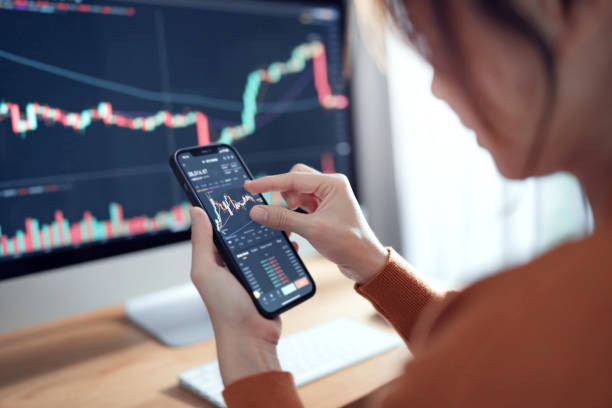
Trading used to require a desk. Computer screen. Reliable internet. Physical presence. Markets moved, you needed to be there.
Not anymore. Markets operate 24/7. Opportunities emerge constantly. Risks develop unexpectedly. Traders need access regardless of location. The mobile trading platform isn’t optional, it’s baseline infrastructure for anyone trading seriously.
But mobile isn’t just shrinking desktop interfaces to phone screens. That approach fails. Good mobile trading requires rethinking everything about how traders interact with markets.
Why Mobile Matters More Than Ever
Crypto markets never close. Unlike stocks with trading hours, DeFi operates continuously across global time zones. Price movements, liquidations, and opportunities happen at 3 AM as readily as 3 PM.
Desktop-only access means missing these events. Maybe you’re commuting. At dinner. Away from your setup. Market volatility doesn’t wait for convenient timing.
Mobile access means responding immediately:
- Close losing positions before they worsen
- Capture sudden price movements
- Adjust stop-losses when volatility spikes
- Monitor portfolio during travel
- Execute time-sensitive trades from anywhere
This isn’t about making trading “more convenient.” It’s about maintaining control over positions and capital regardless of physical location.
Desktop-to-Mobile Doesn’t Work
Most early mobile trading attempts just shrunk desktop interfaces. Same layouts, same navigation, same information density, compressed to phone screens.
Results were terrible:
- Tiny Touch Targets: Buttons sized for mouse cursors, not fingers. Tapping wrong elements accidentally. Requiring precision impossible on moving devices.
- Information Overload: Desktop interfaces cram huge amounts of data across large screens. Phones can’t display this without making everything unreadable or requiring constant zooming and scrolling.
- Complex Navigation: Desktop menus with nested options work with mouse hover. On mobile, they create tap mazes where finding anything requires dozens of interactions.
- Slow Performance: Desktop-optimized code loading heavy resources tanks mobile performance. Laggy interfaces during market volatility are dangerous.
The cross-device trading platform approach requires dedicated mobile design, not responsive design attempting to serve all devices identically.
Touch-First Interface Design
Mobile interaction fundamentals differ from desktop. Mouse allows pixel-perfect precision. Touch requires larger targets and gesture-based navigation.

Effective mobile trading interfaces:
- Thumb-Optimized Layouts: Critical actions positioned where thumbs naturally rest. Primary buttons large enough for confident tapping without precision. No tiny controls in screen corners requiring hand repositioning.
- Swipe Gestures: Navigate between screens with swipes rather than taps. Check portfolio (swipe left), view charts (swipe right), access alerts (swipe down). Faster than menu navigation.
- Simplified Information Hierarchy: Show essential data prominently. Hide advanced details behind taps or swipes. Prioritize ruthlessly—mobile screens can’t display everything simultaneously without becoming unusable.
- Quick Actions: Common tasks accessible in minimal taps. Execute trade in three taps: select pair, enter amount, confirm. Check position status in two taps. Set alert in four taps.
- Visual Clarity: Larger fonts, higher contrast, clear spacing. Must remain readable in bright sunlight and various lighting conditions.
This creates interfaces that feel native to mobile rather than ported from desktop.
Progressive Disclosure for Complexity
Desktop trading terminals display dozens of data points simultaneously. Multiple charts, order books, position monitors, news feeds, all visible at once across large screens.
Mobile can’t replicate this without becoming cluttered with chaos. Solution: progressive disclosure.
- Start Simple: Default view shows critical information only. Current portfolio value. Major positions. Today’s P&L. Essential market data.
- Drill Down: Tap any element to see details. Tap portfolio value to see position breakdown. Tap individual position to see entry price, current P&L, allocation percentage, exit options.
- Contextual Tools: Advanced features appear when relevant. Viewing a position? Trade, close, or adjust stop-loss buttons appear. Viewing chart? Technical indicators become accessible.
- Customizable Dashboards: Let users choose what they see on the main screen. Day traders might prioritize charts and execution speed. Portfolio managers might emphasize holdings and performance tracking.
Trady mobile trading implements this through layered interface design. Glance at phone for portfolio snapshot. Tap once for position details. Tap again for a full trading interface. Information scales based on user need at that moment.
Performance Under Mobile Constraints
Mobile devices have limited processing power, memory, and battery compared to desktops. Slow internet connections compound constraints: cellular data isn’t always fast or reliable.
Mobile trading platform optimization requirements:
- Efficient Data Loading: Stream only necessary data. Don’t load the full order book history when the user just needs the current price. Lazy-load additional information as the user navigates deeper.
- Smart Caching: Cache frequently accessed data locally. Portfolio positions, favorite token pairs, recent transaction history. Reduces network calls and improves perceived speed.
- Background Sync: Update data in background when app isn’t active. Opening app shows current information immediately rather than requiring refresh wait.
- Offline Capability: Continue showing last-known data when connection drops. Queue transactions for execution when connectivity restores. Prevent complete functionality loss during temporary network issues.
- Battery Optimization: Minimize continuous background processes. Balance real-time updates with battery life. Give users control over update frequency versus battery consumption.
Mobile-specific performance optimization makes interfaces feel responsive even on older devices or weak connections.
Security Without Friction
Mobile introduces security challenges. Devices get lost or stolen. Public WiFi creates interception risk. Smaller screens make phishing harder to detect.
But security measures can’t create so much friction that users disable them or avoid mobile trading entirely.
- Biometric Authentication: Fingerprint or face recognition for app access. More secure than passwords, faster to use. Protects against unauthorized access without typing passwords on small keyboards.
- Session Management: Automatic logout after inactivity. Balance security with convenience—30 minutes reasonable for active trading, shorter for casual checking.
- Transaction Confirmation: Require explicit confirmation for trades and transfers. Show clear details: “Swap 1,000 USDC for 0.284 ETH. Confirm?” Prevents accidental execution from errant taps.
- Secure Communication: Encrypted connections mandatory. Certificate pinning prevents man-in-the-middle attacks on public networks.
- Spending Limits: Session keys with mobile-specific spending caps. Even if a device is compromised, damage is limited to defined thresholds.
Security that works invisibly most of the time but protects effectively when needed.
Notifications That Matter
Mobile enables push notifications. Done poorly, this becomes spam. Done well, it’s a competitive advantage.
- Smart Alerting: Only notify for conditions the user configured. Price hits target. Position reaches stop-loss. Unusual portfolio movement. Don’t spam with generic “check out this token” nonsense.
- Actionable Notifications: Include quick actions in notifications themselves. “ETH hit the $3,800 target. [Close Position] [Adjust Target].” Take action directly from notification without opening the app.
- Notification Management: Granular control over what triggers notifications. Separate price alerts, security warnings, and system updates. Different priority levels for different alert types.
- Quiet Hours: Respect user-defined quiet periods. Not everyone wants 3 AM liquidation alerts. Balance urgency with user preference.
- Notification Grouping: Batch similar alerts together. Five positions hitting targets simultaneously shouldn’t generate five separate notifications.
Notifications become curated intelligence stream rather than attention pollution.
Cross-Device Synchronization
Modern traders operate across devices. Check my portfolio on the phone during my commute. Execute trades on desktop during work. Review performance on tablet in evening.
Cross-device trading platform infrastructure syncs everything:
- Shared State: Custom layouts, saved watchlists, alert configurations. Set up on desktop, access immediately on mobile. Changes propagate across all devices instantly.
- Session Continuity: Start trade research on desktop, execute on mobile, review outcome on tablet. Work flows across devices without repetition or lost context.
- Consistent Experience: Same features accessible everywhere. Obviously optimized differently for each platform, but capabilities remain equivalent. Don’t force choosing between mobile convenience and desktop functionality.
- Cloud Backup: Preferences, configurations, custom settings backed up automatically. Switch devices or recover from lost devices without recreating the entire setup.
This eliminates friction from multi-device workflows. Use whatever device is convenient for current context without sacrificing functionality.
The Mobile-First Future
Desktop remains important for complex analysis and multi-monitor setups. But mobile increasingly becomes the primary interface for many traders.
Younger traders especially expect mobile-first experiences. If a platform doesn’t work excellently on mobile, they don’t adapt, they choose different platforms.
Trady prioritizes mobile as equal to desktop, not afterthought. Native mobile apps optimized for touch interaction. Progressive disclosure revealing complexity on demand. Offline capability maintaining functionality during connection issues. Biometric security without friction.
The mobile trading platform evolution isn’t about making desktop trading portable. It’s about recognizing mobile as a distinct platform with different strengths, constraints, and user expectations, then designing specifically for those realities.
Platforms treating mobile as secondary will lose users to those treating it as primary. Markets move 24/7. Traders need access 24/7. Mobile delivers that access. The question isn’t whether mobile matters, it’s whether platforms execute mobile experiences well enough to keep serious traders.