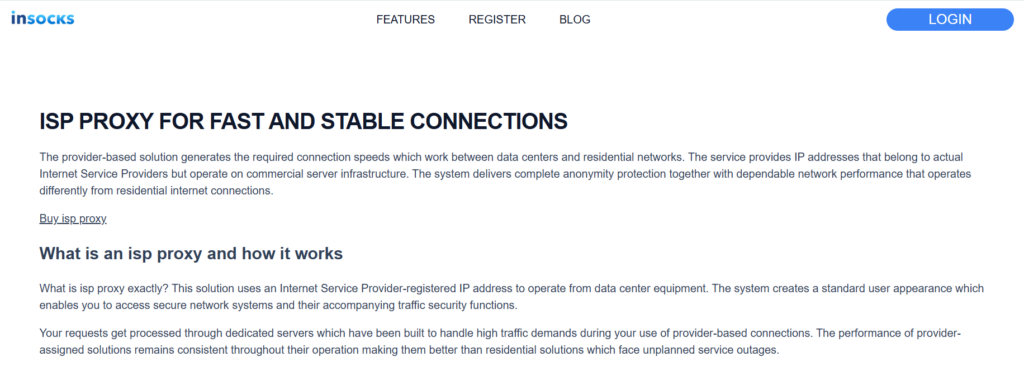
A good proxy setup is not only about speed or uptime, because long term results often depend on how cleanly the route appears to target platforms and how carefully it is selected before use. On the INSOCKS page, the idea of an ISP proxy is tied to provider registered IP addresses running on commercial server infrastructure, which creates a balance between datacenter performance and a more trusted network identity. That makes the product useful for teams that want to reduce visible friction on protected sites while still keeping fast stable sessions for research, account work, and ecommerce monitoring. The more practical way to read the page is as a guide to route hygiene, where proxy score, DNS handling, reuse habits, and session discipline matter just as much as the IP itself. ✨
Why route hygiene matters more than raw speed
Fast traffic can still fail if the route looks wrong to the destination platform. The ISP page says these proxies combine provider registration with datacenter hosting, while the terms section explains that some proxy types are better when low or zero proxy score matters and explicitly names ISP among those preferred categories. That means the practical advantage is not only speed, but the chance to operate with a route profile that creates less suspicion in environments where ordinary datacenter traffic is filtered more aggressively.
The same logic appears in how the site compares provider based traffic with residential and datacenter options. ISP routes are described as offering higher trust than typical datacenter ranges while keeping strong uptime and faster performance than many residential paths, which makes them especially relevant for workflows that need stable repeat use. In that sense, route hygiene becomes a way to reduce unnecessary friction rather than a vague promise of invisibility. Teams working with rankings, marketplace monitoring, and account access often benefit more from cleaner signals than from the absolute cheapest path.
Provider registration changes how the route is perceived
The page explains that ISP proxies use Internet Service Provider registered IP addresses but operate from professional server equipment. This is important because anti fraud systems often distinguish between obvious datacenter infrastructure and traffic that appears tied to legitimate providers. The result is not a magic bypass, but a route that can fit better when the target platform is sensitive to network identity. Stable business tasks often need exactly that middle ground.
Proxy score becomes a practical selection factor
The terms section goes further by listing proxy types through the Ip2Location system and explicitly saying that users seeking residential style routes with low or zero proxy score should search for ISP, MOB, ISP or MOB, COM, and ORG types. That makes route score a visible selection issue rather than a hidden afterthought. A team that understands this early can search more deliberately and avoid spending time on routes that do not match the sensitivity of the task. ✅
DNS hygiene supports cleaner operation
The same terms also recommend using the Remote DNS option to prevent DNS leaks, and they note that SOCKS proxies support remote DNS. This matters because a route that looks good at the IP layer can still create avoidable inconsistencies if name resolution happens in the wrong place. Cleaner DNS behavior supports the same overall goal as cleaner proxy score, which is to keep the session coherent from start to finish.
How INSOCKS exposes route quality signals
A strong ISP workflow begins with visible signals rather than blind purchase. The site gives users several clues before and after activation, including static sessions, history based reuse, blacklist awareness, proxy type labels, and billing differences tied to freshness and blacklist status. This is useful because quality can be treated as something that is reviewed, not merely assumed.
|
Quality signal |
What the site shows |
Why it matters for ISP workflows |
|
Provider registration |
ISP IPs are tied to real providers on server infrastructure |
Supports cleaner identity on protected targets |
|
Static sessions |
Same address can remain consistent across sessions |
Helps long account and research workflows |
|
Proxy type guidance |
ISP is listed among lower score friendly categories |
Improves route selection for sensitive tasks |
|
Remote DNS support |
SOCKS works with remote DNS |
Reduces leakage risk and keeps routing cleaner |
|
Blacklist handling |
Blacklisted socks are marked and discounted |
Helps teams separate cheaper routes from cleaner routes |
|
History reuse |
Proxies can be bought again from history |
Makes stable route reuse more deliberate |
Static sessions support cleaner long work cycles
The ISP page says these proxies provide static addresses that stay consistent across sessions and are suitable for account tasks where changing IPs trigger reviews. This is especially important for teams that revisit the same tools repeatedly and cannot afford noisy identity shifts. A stable route is often easier to evaluate and easier to keep within policy than a rapidly changing one.
Blacklist awareness changes buying behavior
The proxy policy states that socks are checked for blacklist status, that black XBL routes are marked and discounted, and that prices can change when blacklisting appears. This creates a more honest selection environment because the buyer can distinguish between a cheaper route and a cleaner route. For ISP workflows tied to trusted sessions, that difference is often worth more than a small upfront saving. ❌
History reduces repeated mistakes
The terms say proxies can be bought again from history and also warn users not to repurchase the same proxy if they already had complaints about it, while recommending the Exclude used proxies filter. This is useful because route quality should be remembered as part of team practice. A stable ISP setup becomes stronger when good routes are reused deliberately and weak routes are filtered out just as deliberately. ✅
Comparing ISP routes with other paths
Comparison matters because a cleaner ISP route is not always the right answer for every workload. The ISP page itself says provider based traffic sits between residential and datacenter logic, offering stronger trust than datacenter routes and faster more stable behavior than many residential options. That means the product is best understood as a balance tool, not as a universal winner.
|
Route type |
Strongest advantage |
Main weakness |
Best fit |
|
ISP |
Clean balance of trust stability and speed |
Smaller pool than residential |
Accounts SEO ecommerce monitoring |
|
Residential |
Broadest diversity and strongest home user realism |
Sessions and speed can vary more |
Geo heavy rotation and local checks |
|
Datacenter |
Lowest cost and highest raw speed |
Higher detection risk |
Unprotected bulk tasks |
|
Mobile |
Strongest platform credibility |
Highest cost |
Strict social and mobile first environments |
ISP beats datacenter when trust is the bottleneck
The page says datacenter proxies are fastest and most affordable, but also easier to detect and more likely to face higher block rates. That makes ISP routes more useful when the main problem is not raw speed but platform suspicion. In those cases, a cleaner provider based identity can create more operational value than a cheaper but repeatedly flagged path. ✅
ISP beats residential when continuity is the priority
INSOCKS also says residential traffic can have variable speed and sessions may drop when home devices go offline. This means ISP routes are often the better option when the workflow depends on long uninterrupted sessions and more predictable performance. A team that values continuity over maximum pool diversity will usually find the ISP route easier to stabilize.
Residential still wins when rotation diversity matters most
The same page says residential pools offer broader diversity and are stronger for heavy geo rotation. That keeps expectations realistic and prevents overselling the ISP option. A clean route is only useful when it matches the actual shape of the task. ❌
Step by step guide to cleaner ISP deployment
A good ISP setup usually starts with a short checklist rather than an impulse purchase. The page and terms together give enough detail to build that checklist around task fit, proxy type, DNS hygiene, early testing, and reuse rules. Following a routine like this helps turn route cleanliness into a repeatable habit instead of a lucky outcome.
Step one match the task to the route
Start by confirming that the workload really needs stable trusted sessions rather than maximum rotation or minimum cost. The ISP page names SEO, SERP tracking, market research, ecommerce monitoring, price tracking, and account management among the strongest use cases. If the task fits that pattern, an ISP route is a logical starting point. ✅
Step two filter toward lower score friendly types
Use the proxy type guidance from the terms section and prioritize ISP when a lower proxy score matters. This makes the search process more disciplined because it narrows the candidate pool before time is spent on testing. Cleaner selection at this stage usually leads to less troubleshooting later.
Step three enable remote DNS and secure the session
Because the terms recommend Remote DNS and note SOCKS support, this should be treated as a normal part of setup rather than an optional improvement. A route that leaks DNS can create a mismatch between the visible IP and the actual resolution path. Cleaner DNS is therefore part of cleaner route hygiene, not a separate technical hobby. ✨
Step four test early and inside the refund window
The refund policy says manual refund is available when a proxy goes offline within two hours, and that tickets for bad proxies must be opened within five hours after purchase. This makes fast testing a practical necessity rather than just good discipline. A team that validates early protects both uptime and budget. ✅
Step five keep notes through history and avoid weak repurchases
The rules say the actual IP and port can be checked in history and recommend excluding used proxies to avoid repeated purchases of routes that were already unsatisfactory. This is where route hygiene becomes a long term practice. Better teams do not only test well once, they also remember well the next time they buy.
Practical recommendations and tradeoffs
A clean ISP workflow works best when selection, testing, and reuse stay aligned. The product page and terms give enough detail to support a simple rule set that most teams can follow without turning proxy management into a full time process. What matters is staying deliberate about why the route was chosen and what should happen if it stops fitting the task.
Useful recommendations
- ✅ Choose ISP when the workflow needs trusted stable sessions more than wide rotation.
- ✅ Search with proxy score in mind instead of focusing only on raw speed.
- ✅ Use Remote DNS when possible to keep routing cleaner.
- ✅ Test quickly and document the result through history.
- ✅ Rebuy only routes that already proved useful on the real target. ✨
Important drawbacks
- ❌ Do not treat discounted blacklisted routes as ideal for sensitive tasks.
- ❌ Do not use ISP by default when residential diversity is the real need.
- ❌ Do not delay testing past the support and refund timing rules.
- ❌ Do not assume a stable route stays clean without review and reuse discipline.
Where this approach creates the clearest value
The ISP page is most useful when read as a guide to route cleanliness and stable session management, not just as a sales page for another fixed IP. Provider registration, static behavior, lower score friendly search guidance, remote DNS support, blacklist handling, and history based reuse all point toward a more deliberate operational model. That is what makes the product especially relevant for teams that want fewer block driven surprises and better long run consistency. ✅
When used this way, ISP routing stops being only a middle category between datacenter and residential traffic. It becomes a practical method for keeping sessions cleaner, selecting routes more carefully, and reducing the cost of repeating the same poor decisions. That is where INSOCKS creates its strongest value for users who care about route quality as much as route performance. ✨