
Creating a film alone used to mean making compromises. You either reduced your vision to fit your budget or spent months handling every production task yourself.
In 2026, AI video models are changing that equation. A solo filmmaker can now generate cinematic shots, create visual effects, produce character scenes, and even generate audio without a full crew. The challenge is no longer access to AI tools. It’s choosing the right model for the job.
In this guide, I’ll compare the leading AI video models of 2026 and explain where each one shines for independent creators.
Why Solo Filmmakers Are Turning to AI Video Models in 2026
For solo filmmakers, the biggest challenge has never been creativity—it’s resources. Producing a film traditionally requires cameras, actors, locations, lighting setups, visual effects, and a team to bring everything together. In 2026, AI video models are helping creators overcome many of these barriers.
Modern AI video tools have evolved far beyond simple animated clips. They can generate realistic motion, cinematic camera movements, detailed environments, and even believable character performances from a text prompt or image. Tasks that once required expensive equipment or specialized crews can now be completed by a single creator from a laptop.
What’s driving adoption isn’t the desire to replace filmmaking. Instead, solo creators are using AI to expand what they can produce on their own.
As technology improves, choosing the right model has become increasingly important. The most powerful AI video model isn’t necessarily the best one for filmmakers.
Building an AI Filmmaking Process in 2026
Most successful creators don’t rely on a single model. Instead, they combine specialized tools.
A practical approach might look like this:
- Generate concepts with an ai image generator
- Create scenes using a text to video AI
- Animate visual assets using an image to video AI
- Refine and edit
- Stitch everything together in post-production
This multi-step approach gives creators more control and often produces strong results.
For example, a solo filmmaker creating a fantasy short could develop concept art in Midjourney, generate cinematic sequences in Seedance, and produce environmental shots in Kling. The final result feels much closer to a traditional film production.
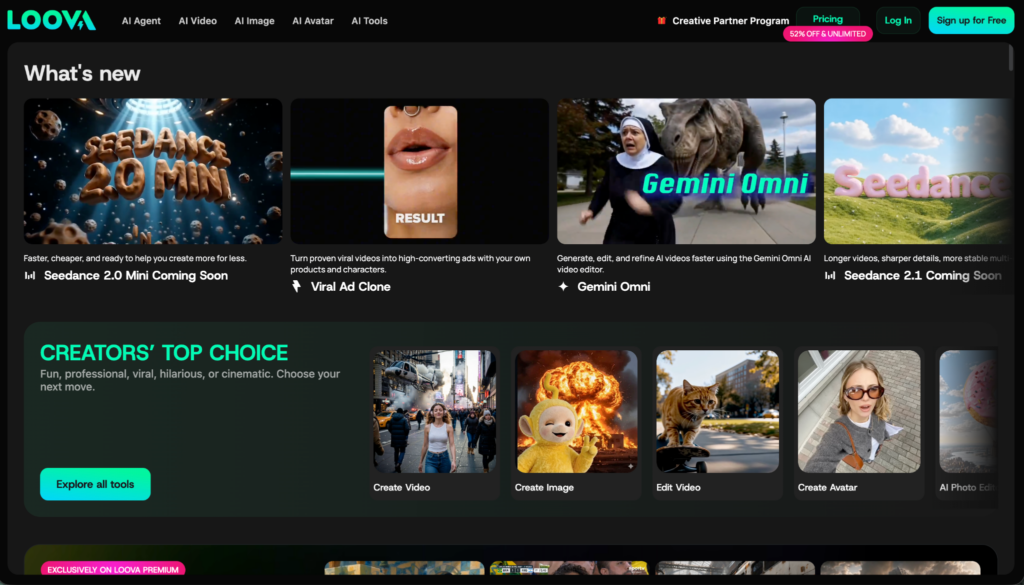
All in one platforms like Loova make this process easier by bringing multiple leading AI models into a single workspace. Instead of switching between separate subscriptions and tools, creators can experiment with different models and compare results more efficiently.
How We Evaluated These AI Video Models
To compare these tools fairly, I looked at the factors that directly impact filmmaking.
The Five Criteria That Matter for Filmmaking
- Cinematic Quality
- Prompt Understanding
- Character Consistency
- Audio Support
- Production Efficiency
Models Included in This Comparison
This article covers:
- Seedance 2.0
- Kling 3.0 Pro
- Midjourney
- Happyhorse
- Google Veo 3.1
- Grok Imagine
- PixVerse V6
- Wan 2.7
Best AI Video Models for Solo Filmmakers Compared
|
Model |
Best For |
Key Strength |
|
Seedance 2.0 |
Narrative filmmaking |
Cinematic storytelling |
|
Kling 3.0 Pro |
Realistic motion |
Camera movement |
|
Veo 3.1 |
Audio-rich content |
Native sound generation |
|
Midjourney |
Visual development |
Concept design |
|
PixVerse V6 |
Social content |
Fast production |
|
Wan 2.7 |
Open-source projects |
Flexibility |
|
Grok Imagine |
Creative experiments |
Rapid ideation |
|
Happyhorse |
Emerging creators |
Accessible generation |
These rewritten sections are more feature-driven, filmmaker-focused, and aligned with the information you provided.
Seedance 2.0 — Best Overall for Narrative Filmmaking
For solo filmmakers focused on storytelling, Seedance 2.0 is one of the most complete AI video models available in 2026.
Its biggest advantage is the ability to generate sequential multi-shot scenes directly from screenplay-style prompts. Instead of creating isolated clips, it can produce connected sequences with smooth transitions, making it easier to build coherent stories.
Another standout feature is its full reference cloning system. Filmmakers can use reference materials to maintain consistent framing, movement, audio style, and character appearance throughout a project. Combined with its character consistency lock, Seedance helps prevent common issues such as facial changes or costume drift across longer narratives.
Seedance also includes built-in lip sync technology with support for multiple languages. This reduces the need for manual dubbing and audio alignment during post-production, making it especially valuable for creators producing dialogue-heavy content.
Best Use Cases for Indie Filmmakers
- Short films
- Character-driven stories
- Narrative trailers
- Episodic content
- Multi-scene storytelling projects
Kling 3.0 Pro — Best for Professional Production Quality
Kling 3.0 Pro is designed for creators who want production-ready outputs without sacrificing speed. The model supports native 4K 60fps generation and EXR exports, allowing footage to fit smoothly into professional editing and color-grading pipelines.
One of its most useful features for solo filmmakers is reusable character assets. Once a character is created, the same design can be used throughout an entire project, helping maintain visual consistency across scenes.
Kling also offers turbo rendering, making it possible to generate multiple storyboard drafts and test creative ideas much faster. For independent creators working with clients, the inclusion of full commercial usage rights removes licensing concerns and simplifies content distribution.
Best Use Cases for Indie Filmmakers
- Commercial projects
- Action sequences
- High-resolution productions
- Client work
- Storyboard development
Midjourney Video — Best for Artistic Storytelling
Midjourney Video extends the platform’s well-known visual style into motion generation. For filmmakers who prioritize aesthetics and visual identity, it offers one of the most distinctive creative approaches available.
A major advantage is the ability to build on existing Midjourney image libraries. Creators can turn previously generated images into moving sequences, effectively using them as keyframes for larger projects. This makes it easier to maintain a consistent artistic direction from concept art to final video.
Motion intensity controls also provide flexibility. Filmmakers can create subtle cinematic movement for emotional scenes or increase motion for action-focused sequences. Combined with its relatively affordable pricing, Midjourney Video allows independent creators to experiment with multiple versions of a scene without significantly increasing costs.
Best Use Cases for Indie Filmmakers
- Animated story concepts
- Fantasy films
- Music videos
- Visual development
- Artistic short films
Happyhorse — Best for Emotion-Driven Storytelling
Happyhorse takes a unique approach by focusing on emotional realism and creator ownership. Because the model offers open-source weights, filmmakers can deploy it locally and maintain full control over their projects without relying on external servers.
Its strength lies in generating human performances. The model handles subtle facial expressions, eye movements, and shallow depth-of-field effects particularly well, making it useful for character-focused storytelling.
Happyhorse also simplifies pre-production by automatically breaking scripts into wide, medium, and close-up shots. In addition, it can synchronize dialogue lip movements with ambient background audio in a single generation process, reducing the number of separate tools required.
Best Use Cases for Indie Filmmakers
- Dialogue-heavy scenes
- Character dramas
- Emotional storytelling
- Privacy-sensitive productions
- Local AI production setups
Google Veo 3.1 — Best for Complex Cinematic Direction
Google Veo 3.1 stands out for its ability to understand detailed creative instructions. Complex prompts involving lighting setups, camera movements, scene transitions, and visual composition are interpreted with a high degree of accuracy.
For creators publishing across multiple platforms, Veo can generate both 16:9 landscape and 9:16 vertical formats natively. This eliminates the need for additional cropping and reframing when adapting content for different audiences.
Another valuable feature is frame locking. Filmmakers can define precise start and end frames, making it easier to design seamless scene transitions and maintain continuity between clips. Veo’s integration with Google’s ecosystem also supports a more connected script-to-video creation experience.
Best Use Cases for Indie Filmmakers
- Commercial productions
- Brand storytelling
- YouTube content
- Multi-platform publishing
- Complex cinematic sequences
Grok Imagine — Best for Rapid Creative Exploration
Grok Imagine focuses on speed and creative flexibility. For filmmakers in the early stages of development, the ability to quickly test ideas can be more valuable than achieving perfect visual quality.
The model generates clips rapidly and defaults to a cinematic 24fps frame rate, matching the standards used in many independent film projects. It also supports a wide range of visual styles, from photorealistic scenes to fantasy worlds and stylized animation.
Its loose creative mode encourages experimentation, making it useful for creators who want to explore unconventional concepts before committing to a final direction.
Best Use Cases for Indie Filmmakers
- Concept development
- Experimental films
- Pitch videos
- Visual brainstorming
- Genre exploration
PixVerse V6 — Best for Camera Control and Episodic Content
PixVerse V6 offers one of the most detailed camera control systems among current AI video models. Creators can directly prompt more than 20 professional camera movements and lens settings, giving them greater control over shot composition.
Another strength is its ability to render multilingual on-screen text clearly without distortion. This is particularly useful for filmmakers producing subtitled content or storytelling projects that rely on visual text elements.
For longer projects, PixVerse supports multi-image character anchoring, helping maintain consistent character appearances across multiple scenes. Its affordable API also makes it attractive for creators producing episodic content or serialized storytelling on a budget.
Best Use Cases for Indie Filmmakers
- Web series
- YouTube storytelling
- Subtitled content
- Character-driven projects
- Low-budget episodic production
Wan 2.7 — Best for Long-Form Story Development
Wan 2.7 is particularly useful for creators building stories across multiple scenes. One of its most distinctive capabilities is transforming a nine-panel storyboard into a single cohesive narrative clip, helping filmmakers move from planning to production more efficiently.
The model also includes a dual-lock system that preserves both character appearance and voice tone across episodes or sequels. This consistency is valuable for creators producing recurring characters or serialized stories.
Unlike many models that require complete regeneration after small changes, Wan supports partial scene editing. Filmmakers can revise specific moments without rerendering entire sequences. It also allows users to upload existing footage and extend scenes directly, making it easier to continue a narrative without starting over.
Best Use Cases for Indie Filmmakers
- Serialized storytelling
- Episodic content
- Storyboard-to-video production
- Character-focused series
- Long-form narrative projects
Which AI Video Model Is Right for Your Filmmaking Style?
Different creators need different tools.
- If your focus is narrative filmmaking:
Seedance 2.0 and Veo 3.1 are strong choices.
- If realistic movement is critical:
Kling 3.0 Pro remains a top contender.
- If you’re creating social content at scale:
PixVerse V6 offers impressive speed.
- If you value flexibility and customization:
Wan 2.7 is worth exploring.
- For visual development:
Midjourney remains one of the most useful creative tools available.
Final Thoughts
The best AI video model for solo filmmakers in 2026 depends on the type of stories you want to tell.
Seedance 2.0 currently offers one of the strongest combinations of cinematic quality and storytelling capability. Kling 3.0 Pro excels in motion realism. Veo 3.1 stands out for integrated audio generation. Midjourney remains a valuable companion tool for visual development, while PixVerse V6, Wan 2.7, Grok Imagine, and Happyhorse each serve different creator needs.
The most effective filmmakers are not choosing a single winner. They’re combining the strengths of multiple tools to build better films. As AI video generation continues to improve, the advantage will belong to creators who know how to use the right model at the right stage of production.
Frequently Asked Questions
What is the best AI video model for solo filmmakers in 2026?
For narrative filmmaking, Seedance 2.0 is one of the strongest options due to its cinematic quality, prompt understanding, and storytelling capabilities.
Is Google Veo 3.1 better than Kling 3.0 Pro?
They serve different purposes. Veo 3.1 is stronger for projects that require integrated audio generation, while Kling 3.0 Pro excels at realistic motion and dynamic camera work.
Which AI video model creates the most realistic footage?
Kling 3.0 Pro is widely recognized for producing highly realistic movement and cinematic camera motion.
Can AI video models generate dialogue and sound effects?
Yes. Models such as Veo 3.1 can generate audio elements alongside video, helping creators reduce post-production work.
What is the best open-source AI video model?
Wan 2.7 is one of the most notable open-source options available to creators who want flexibility and customization.
Is Midjourney useful for filmmaking?
Absolutely. Many filmmakers use Midjourney for storyboards, character design, concept art, and visual development before generating video content.
Which AI video model is best for YouTube creators?
PixVerse V6 is a strong choice for creators who publish frequently and need fast turnaround times.
Can AI video models maintain character consistency?
Modern models have improved significantly, but character consistency remains one of the industry’s biggest challenges. Results vary depending on the model and project complexity.
Do professional filmmakers use AI video generators?
Many filmmakers use AI tools for concept development, visual effects, pre-production planning, marketing assets, and experimental storytelling.
Should creators use one model or multiple AI video models?
Most creators achieve better results by combining specialized models. Using different tools for concept art, video generation, audio creation, and editing often produces higher-quality projects.


